
In this lesson from Tom Graham’s free course, you’re going to learn how to create and export captions and subtitles using Premiere Pro. With your video opened in Premiere Pro, go to the Captions and Graphics Tab in the menu. Next, go to Text in the Source panel. Here you have three options. You can: Transcribe Sequence… Continue reading How to Add Captions to Video in Premiere Pro
Tag: open
3 Top Live Commerce Video Templates for DaVinci Resolve

Live commerce is becoming huge, especially in China. In this article, we’ll show you three of our favourite live commerce video templates for DaVinci Resolve from Envato Elements. We’ll even throw in a few bonus assets for you to check out too! 3 Top Live Commerce Video Templates for DaVinci Resolve Think of it as… Continue reading 3 Top Live Commerce Video Templates for DaVinci Resolve
How to Use Proxies for Faster Editing in Premiere Pro
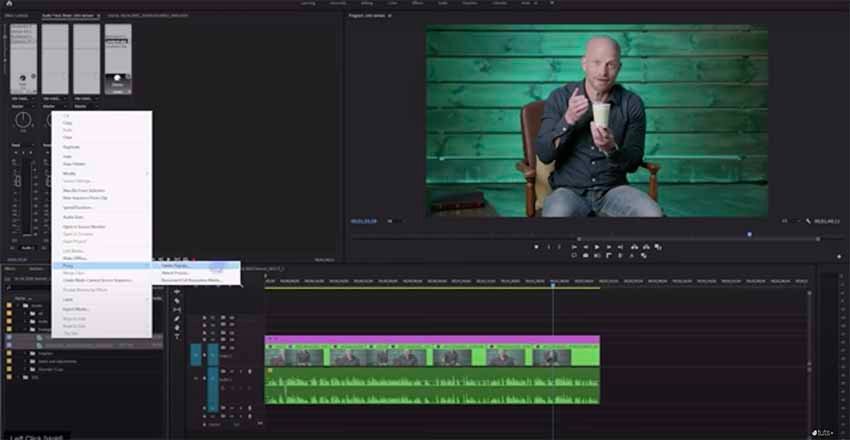
In this lesson from David Bode’s FREE Ultimate Premiere FAQ course, you will learn how to create and use proxies in Premiere Pro for a faster editing experience. What Is a Proxy? A proxy is a duplicate of a project’s source footage that is smaller and lower-resolution than the high-resolution original. Video proxies are created… Continue reading How to Use Proxies for Faster Editing in Premiere Pro
How to Refine a Colour Grade in DaVinci Resolve

Learn to colour correct and grade with our free course, DaVinci Resolve Colour Grading for Beginners. You’ll learn how to use each important tool in Resolve, including how to set up your project using scene cut detection, how to get clean skin tones with noise reduction, and how to create cinematic looks. This colour grading… Continue reading How to Refine a Colour Grade in DaVinci Resolve
How to Export ProRes, CineForm, and Other Pro Formats With Premiere Pro
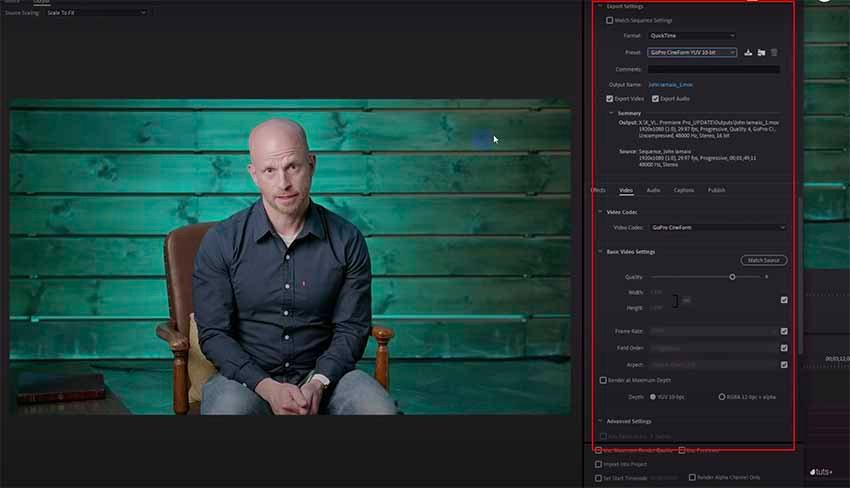
In this lesson from David Bode’s Free Ultimate Premiere Pro FAQ Course, you will learn how to export your projects to an intermediate codec like ProRes, CineForm, or DNX. What Is an Intermediate Codec? An intermediate codec is something you use in the post-production process. It’s not something you’d typically use to deliver a final… Continue reading How to Export ProRes, CineForm, and Other Pro Formats With Premiere Pro
How to Create Basic Titles in Premiere Pro Using Essential Graphics

In this lesson from David Bode’s FREE Ultimate Premiere FAQ course, you’re going to learn how to create some basic but really nice-looking titles in Premiere using the Essential Graphics panel. What Is the Essential Graphics Panel? The Essential Graphics panel was added to Premiere a few years ago, and it enables you to do… Continue reading How to Create Basic Titles in Premiere Pro Using Essential Graphics
How to Motion Track Colour Grades in DaVinci Resolve

Learn to colour correct like a pro with our free course DaVinci Resolve Colour Grading for Beginners. You’ll learn how to use each important tool in Resolve, including how to set up your project using scene cut detection, how to get clean skin tones with noise reduction, and how to create cinematic looks. In this… Continue reading How to Motion Track Colour Grades in DaVinci Resolve
Haukland’s ‘7in1’ jacket is a $299 jacket made specifically for photographers
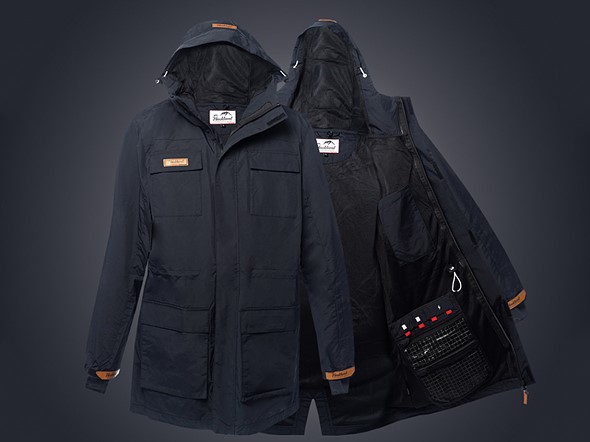
A great jacket is a must-have item for any outdoor photographer. You’ve got to be warm and dry to stay safe and healthy. Plus, it makes it a lot easier to capture great photos when you’re comfortable. Haukland has announced a jacket made especially for photographers. The Haukland 7in1 jacket is designed from the ground… Continue reading Haukland’s ‘7in1’ jacket is a $299 jacket made specifically for photographers
MPB Hall of Fame 2022 opens for voting
MPB has announced the 25 nominees up for election across five categories in this year’s Hall of Fame public vote The post MPB Hall of Fame 2022 opens for voting appeared first on Camera Jabber.
How to Use Dynamic Link to Share Projects Between Premeire Pro and After Effects

In this lesson, you will learn how to use Adobe’s dynamic link feature to get your project or even parts of your project over to After Effects for additional graphics, animation, colour correction, grading, and more. Adobe Dynamic Link Adobe Dynamic Link is found under the File menu. With Dynamic Link, you can: Create a… Continue reading How to Use Dynamic Link to Share Projects Between Premeire Pro and After Effects