
In this lesson from David Bode’s FREE Ultimate Premiere FAQ course, you’ll learn how to use the Freeform view to review, organise, and prepare media for your projects. The Freeform View is one of those great features in Premiere Pro that will help you create a visual workflow for your clips much more easily than… Continue reading How to Use the Freeform View in Premiere Pro
Tag: body
10 Top Tips for Designing a Cartoon Character for 2D Animation

If you love cartoons, why not try your hand at designing a cartoon character? After all, every expert started as a beginner. It’s easier than you think. Just follow these ten top tips and you’ll have a stunning character ready to animate in no time. 1. Keep It Simple Cartoons come in a wide variety of… Continue reading 10 Top Tips for Designing a Cartoon Character for 2D Animation
David Ulrich: How to be a more mindful photographer
Swimming Pool, Cape Cod, MA. © David Ulrich David Ulrich is a photographer, writer, and teacher. He worked as an assistant to Minor White, drank with Ansel Adams, and crossed paths with many of the great photographers of the late 20th century. His life was changed when he witnessed the Kent State shootings in 1970,… Continue reading David Ulrich: How to be a more mindful photographer
How to Process Raw Photos With Filmulator (Free for Windows and Linux)
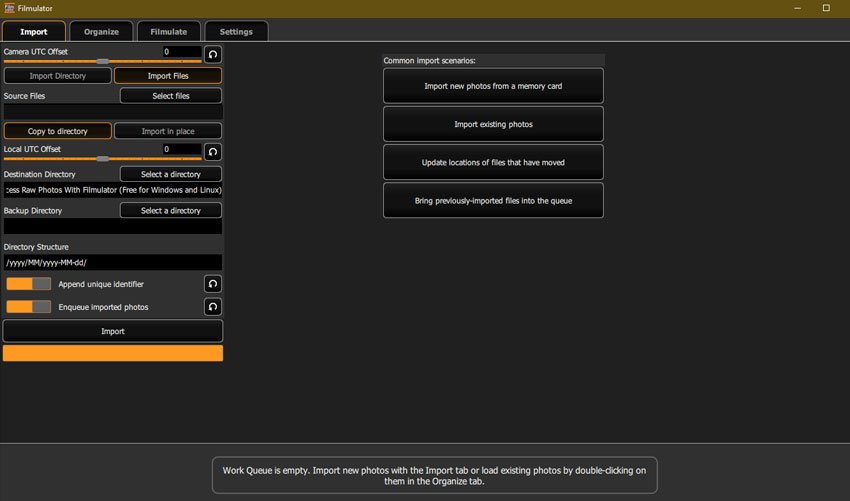
Filmulator is an open-source raw photo editor based around the filming developing process, with a library management feature to help you organise your photographs. It’s free and available for both Windows and Linux users. Here, we’ll take a look at its main features and walk you through how to edit your images. How to Process… Continue reading How to Process Raw Photos With Filmulator (Free for Windows and Linux)
How to Use Use Auto-Reframe to Crop Your Video in Premiere Pro

In this lesson from David Bode’s FREE Ultimate Premiere FAQ course, you’re going to learn how to use Auto-Reframe to reframe your videos for different aspect ratio outputs. Varying Video Formats 1920 by 1080 is a pretty standard size for videos, but with the popularity of social media, both vertical and square videos have become… Continue reading How to Use Use Auto-Reframe to Crop Your Video in Premiere Pro
How to Make a Rough Cut of Your Photo Portfolio

In this lesson, the sixth in a series from Chamira Young‘s course about making portfolios, you’ll learn how to make a rough cut of your group of images by eliminating the photos that are not the best. In the previous lesson, “How to Assemble Photos for a Photography Portfolio“, you learnt how to review your photo… Continue reading How to Make a Rough Cut of Your Photo Portfolio
100 Free Photoshop Actions (And How to Make Your Own)
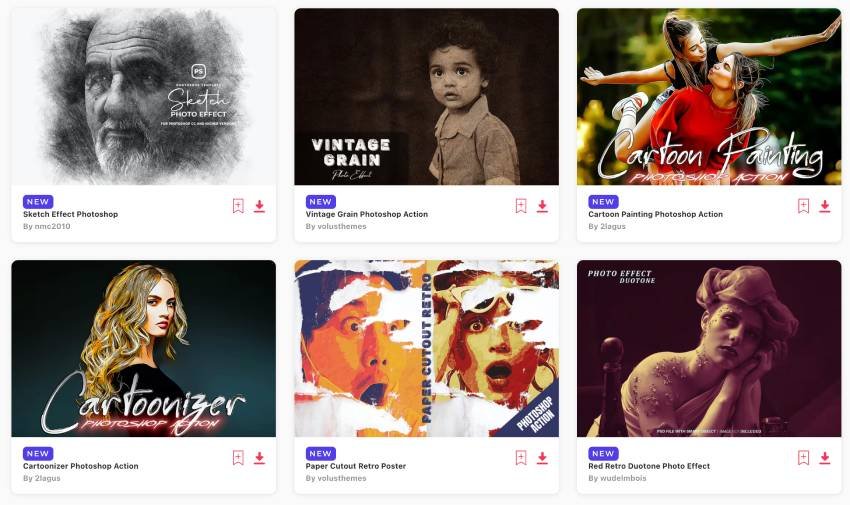
Photoshop actions capture all of the steps needed to transform a file and let you apply them with just one click. And with a single click, you can take the creative photo effect and workflow steps from another artist and add them to your own picture, creating everything from improved portraits to radically altered double-images. … Continue reading 100 Free Photoshop Actions (And How to Make Your Own)
3 Top Gaming Video Templates for DaVinci Resolve

Ready to get your game on and find new supporters, followers, or contributors? Give some of our best DaVinci Resolve templates a try. Young gamer playing video games with headphones – from Envato Elements 3 Top Gaming Video Templates for DaVinci Resolve Here are three of the best DaVinci Resolve templates gaming videos, available from Envato… Continue reading 3 Top Gaming Video Templates for DaVinci Resolve
How to Use the Essential Sound Panel to Edit Dialogue in Premiere Pro

In this lesson from David Bode’s FREE Ultimate Premiere FAQ course, you’re going to learn about the Essential Sound panel and how you can use it to punch up and clean up your dialogue for better mixes. To address your audio issues in Premiere Pro, you going to use the Essential Sound panel to fix issues with… Continue reading How to Use the Essential Sound Panel to Edit Dialogue in Premiere Pro
How to Build a Basic Photo Post-Processing Workflow With Adobe Camera Raw
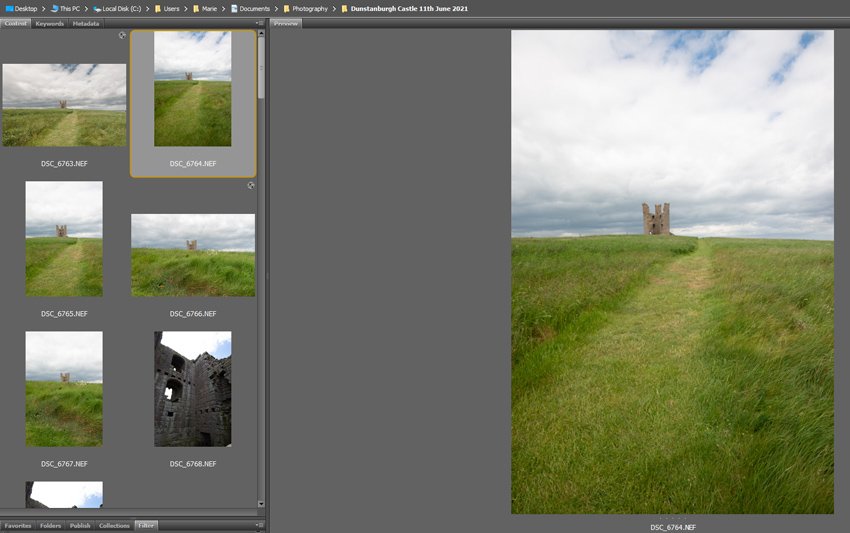
Photographing in RAW format gives you the best options for your post-processing as it’s retaining all the information from when you took the image. Due to that, though, RAW files have a large file size and look a little flat, so they might require a little more ‘post-shoot’ thought than some other formats. Here, we’ll… Continue reading How to Build a Basic Photo Post-Processing Workflow With Adobe Camera Raw