In 2017, Kodak brought back Ektachrome color-positive film; in 2018, they revived T-Max P3200 B&W film. In 2019, FujiFilm announced they’d bring back black and white film, launching Neopan 100 Acros II in both 35mm and 120 formats. And this year, Kodak brought back the 120 version of Gold 200. It’s safe to say that… Continue reading For the film lover: How to choose your camera and film type
Tag: frame
How to Use the Freeform View in Premiere Pro

In this lesson from David Bode’s FREE Ultimate Premiere FAQ course, you’ll learn how to use the Freeform view to review, organise, and prepare media for your projects. The Freeform View is one of those great features in Premiere Pro that will help you create a visual workflow for your clips much more easily than… Continue reading How to Use the Freeform View in Premiere Pro
David Ulrich: How to be a more mindful photographer
Swimming Pool, Cape Cod, MA. © David Ulrich David Ulrich is a photographer, writer, and teacher. He worked as an assistant to Minor White, drank with Ansel Adams, and crossed paths with many of the great photographers of the late 20th century. His life was changed when he witnessed the Kent State shootings in 1970,… Continue reading David Ulrich: How to be a more mindful photographer
New gear: Sigma 20mm & 24mm f/1.4 full-frame primes
The new lenses will be available in E- and L-mount. Sigma You can start your week with some good news if you’re in the market for a wide-angle lens and shoot a full-frame E-mount or L-mount camera: Sigma has just announced two new Art-series, wide-angle primes—the Sigma 20mm f/1.4 DG DN and Sigma 24mm f/1.4… Continue reading New gear: Sigma 20mm & 24mm f/1.4 full-frame primes
How to Use Use Auto-Reframe to Crop Your Video in Premiere Pro

In this lesson from David Bode’s FREE Ultimate Premiere FAQ course, you’re going to learn how to use Auto-Reframe to reframe your videos for different aspect ratio outputs. Varying Video Formats 1920 by 1080 is a pretty standard size for videos, but with the popularity of social media, both vertical and square videos have become… Continue reading How to Use Use Auto-Reframe to Crop Your Video in Premiere Pro
20+ Stunning images with complementary colors
In 1961s, Fred Herzog photographed a woman on the street, with just her green skirt and red stockings visible in the frame. In 1972, Helen Levitt photographed kids in New York City, dressed in various shades of yellow and purple. In the 1980s, Martin Parr photographed an ice cream shop in an English beach suburb,… Continue reading 20+ Stunning images with complementary colors
Here’s your chance to beta test a brand-new half-frame film camera
The new Alfie TYCH offers both automatic and fully manual shooting modes. Alfie Cameras UK startup Alfie Cameras is looking for beta testers for the Alfie TYCH, its under-development half-frame 35mm film camera, ahead of a planned Kickstarter launch this September. If you’re game to provide feedback on a weird and wacky new film camera,… Continue reading Here’s your chance to beta test a brand-new half-frame film camera
How to Use the Essential Sound Panel for SFX and Ambience in Premiere Pro
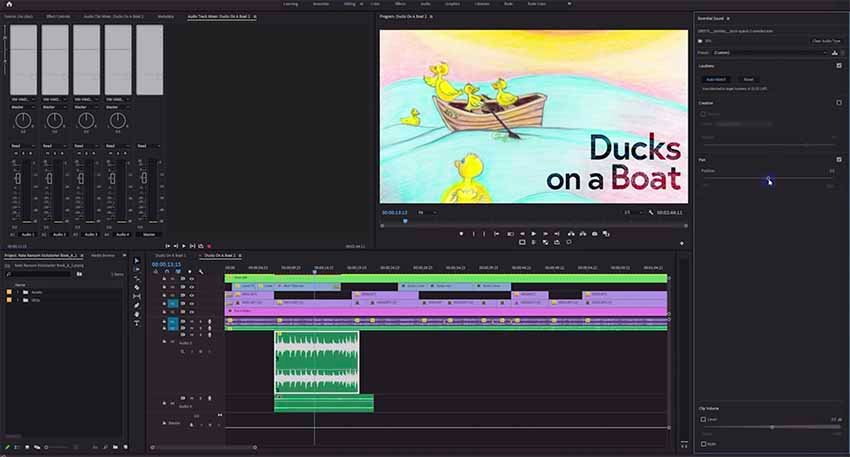
In this lesson from David Bode’s FREE Ultimate Premiere FAQ course, you’re going to learn how to use the Essential Sound panel to deal with sound effects and ambience. SFX To edit your sound effects, start by highlighting them and tagging them with SFX in the Essential Sound panel. Loudness Next, work your way through the… Continue reading How to Use the Essential Sound Panel for SFX and Ambience in Premiere Pro
How to Send Premiere Pro Projects to DaVinci Resolve
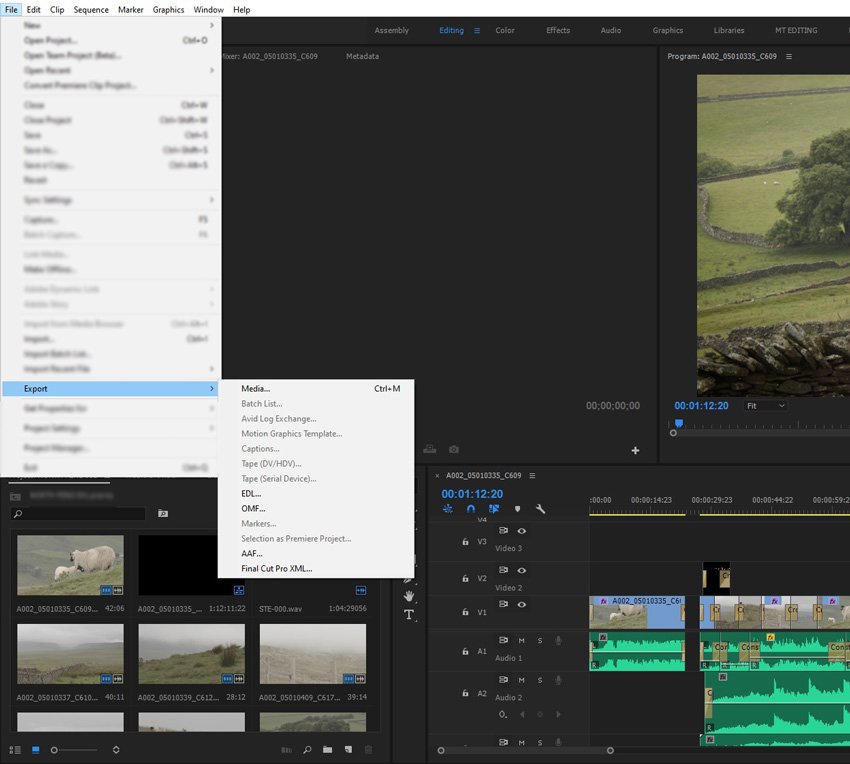
It might sound a little odd to move a project from one editing suite to what could be considered its biggest rival, but many are finding they want to send Premiere Pro projects to DaVinci Resolve, so in this article we’ll take a look at why and how you can do that. Resolve vs. Premiere… Continue reading How to Send Premiere Pro Projects to DaVinci Resolve
OBS Quick Start: How to Create Live Video for Free With Open Broadcaster Software Studio

Open Broadcaster Software Studio (OBS Studio, or often just OBS) is an open-source program that is a fast way to get into live video streaming. Plus OBS Studio is free. Streaming Software When you live stream, you need either a software or hardware encoder to convert your audio and video into a format that can… Continue reading OBS Quick Start: How to Create Live Video for Free With Open Broadcaster Software Studio